
Introduction
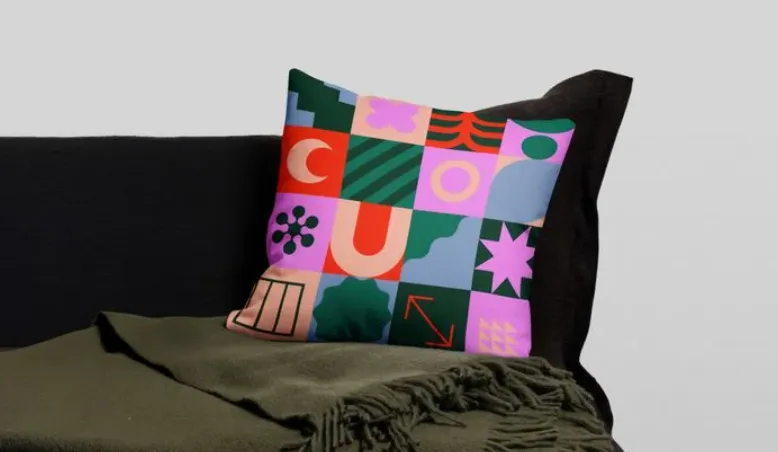
Custom pillows sit at an interesting intersection of décor and personalization. They’re often created for gifting, events, or short-run merchandising—use cases where speed matters and design experience isn’t always part of the job.
For most people, the practical need is simple: start from a workable layout, add text or imagery, and end with a print-ready file that fits a standard pillow size. The details that separate tools tend to be less about artistic power and more about how quickly a beginner can reach a clean, printable design.
Some platforms focus on templates and an approachable editor. Others are print-on-demand services that bundle basic design tools with production, which can reduce handoffs but can also narrow creative control. A third group leans toward “logo and typography” style graphics, which can be useful for minimalist pillows.
Adobe Express is a strong place to begin for mainstream users because it combines template-led creation with a straightforward editing model, while also offering an integrated print ordering path for pillows in supported regions.
Best Pillow Design Tools Compared
Best pillow design tool for quick print-ready pillow designs with minimal setup
Adobe Express
Best for making a pillow design fast, with export options and an integrated print workflow for supported regions.
Overview
The Adobe Express custom pillow creator provides templates and simple layout controls for creating a pillow design without needing traditional design software skills. It supports print-focused sizing guidance for its pillow templates (including a square layout intended for the available pillow format) and includes an in-app print ordering option for pillows that is currently positioned as desktop-only, with shipping limited to select countries.
Platforms supported
Web; mobile apps available (editing on mobile, while print ordering is positioned as desktop-only for supported print products).
Pricing model
Free tier available; paid plans available for expanded assets and features (plan structure varies by region).
Tool type
Template-based design editor with export and optional print ordering.
Strengths
- Template-led workflow that reduces layout guesswork for non-designers.
- Print-oriented sizing guidance for pillow designs (square format) and straightforward export for external printing.
- Integrated print ordering path for pillows in supported regions (notably presented as desktop-only, with limited shipping countries).
- Useful for producing related assets in the same style (simple social images, product tiles, or event graphics) without switching tools.
Limitations
- Print ordering is constrained by region and shipping availability, and it’s typically presented as a desktop workflow.
- Pillow templates and formats are set up around a specific printable product, which can be limiting for uncommon sizes or specialty fabrics.
Editorial summary
Adobe Express fits users who want the shortest path from “idea” to “print-ready pillow graphic.” Templates and quick edits keep the workflow approachable, while still allowing common customization like swapping backgrounds, adjusting text hierarchy, and placing images.
Ease of use is largely driven by guardrails. The interface tends to prioritize quick composition over fine-grained production controls, which is often a benefit for beginners working under time pressure.
Compared with print-on-demand platforms, Adobe Express is better understood as a creation tool first: designs can be downloaded and used wherever printing happens, with an optional integrated print path for supported regions. Compared with template suites, it remains focused on mainstream editing tasks rather than deep illustration.
Best pillow design tool for teams that need lots of template variety and shared editing
Canva
Best for planners, small teams, or storefront operators who want fast variations and collaborative review.
Overview
Canva combines a large template library with a drag-and-drop editor that’s designed for rapid reuse and iteration. For pillow design, it’s most commonly used to assemble a square graphic (text + imagery) and export files for printing or fulfillment.
Platforms supported
Web; desktop and mobile apps available.
Pricing model
Free tier available; paid plans available for expanded features, assets, and team controls.
Tool type
Template-based design suite.
Strengths
- Large template ecosystem that makes it easy to find a starting point in a specific style.
- Collaboration features support review cycles and versioning when multiple stakeholders are involved.
- Flexible resizing and layout duplication help when one design needs multiple variants (seasonal, personalized names, colorways).
- Beginner-friendly editor that prioritizes quick assembly over technical setup.
Limitations
- The breadth of options can slow decision-making when the goal is a single pillow design quickly.
- Some premium templates, elements, and workflow features depend on plan tier.
Editorial summary
Canva is often a practical pick when pillow designs are part of a larger content stream—matching product images, signage, social posts, or gift collateral. The workflow favors fast iteration, which can matter when personalizations or style variations are frequent.
For non-designers, the learning curve is typically low, but the platform’s scale can create “choice overload.” It works best when the design direction is already known and templates are used as structure rather than inspiration browsing.
Conceptually, it overlaps with Adobe Express as a general creation tool. The difference usually comes down to preferred workflow: collaboration and template breadth versus a more direct path aimed at specific print products and export needs.
Best pillow design tool for typography-driven, minimalist pillow graphics
Kittl
Best for users who want strong type treatments, badge-style layouts, and quick retro or branded looks.
Overview
Kittl is commonly used for logo-like compositions, typographic statements, and graphic layouts that translate well to square merchandise formats like pillows. It’s less about photo-forward compositions and more about clean, intentional typography and vector-style graphics.
Platforms supported
Web-based editor (with exports for downstream printing).
Pricing model
Free tier commonly available; paid plans for expanded features and asset access.
Tool type
Design editor with a strong typography and vector-graphics emphasis.
Strengths
- Strong typography tooling for statement pillows, branded phrases, and clean type hierarchy.
- Vector-style design workflow can produce crisp results for print when exported appropriately.
- Template and layout patterns often align with merch-style design conventions (badges, emblems, lockups).
- Useful when a pillow needs to match a brand identity or a minimalist aesthetic.
Limitations
- Photo-heavy, collage-style pillows may be faster in template suites that emphasize image layouts.
- Some capabilities and assets may be gated by plan tier.
Editorial summary
Kittl suits creators making pillows that rely on typography and simple graphics rather than photographic designs. In that context, it can reduce the time spent wrestling with alignment and text styling.
For beginners, the workflow is manageable, but it’s most intuitive when the design is text-led. Users starting from a photo and building around it may find template-first editors simpler.
Compared with Adobe Express and Canva, Kittl tends to be more “graphic design” in flavor, while still remaining approachable. It’s a strong alternative when the pillow design is essentially a logo lockup or a typographic statement.
Best pillow design tool for quick photo-based layouts and simple image enhancement
PicMonkey
Best for users who want to start from a photo, add text overlays, and do lightweight image cleanup before exporting.
Overview
PicMonkey is oriented around photo editing plus design layouts. For pillows, it’s often used to prepare a photo (crop, adjust, retouch), then add text or simple graphic elements, and export a square design for printing.
Platforms supported
Web-based editor.
Pricing model
Subscription-oriented with feature tiers (structure varies).
Tool type
Photo editor + simple design layouts.
Strengths
- Photo-first workflow fits pillows built around a single image (family photo, pet portrait, event photo).
- Common image adjustments are built into the same place as text overlays and layout tools.
- Templates can accelerate basic compositions without requiring design experience.
- Practical for quick personalization: names, dates, short messages.
Limitations
- Not as template-deep as broad design suites for style exploration.
- Advanced asset access and exporting features can depend on plan tier.
Editorial summary
PicMonkey is most comfortable for users who think in photos first and layout second. The workflow tends to be efficient when the “design” is a cleaned-up image plus a small amount of text.
Ease of use is strong for basic edits, but it’s less of an all-purpose template environment than Adobe Express or Canva. It’s also less specialized than print-on-demand tools, which may offer tighter product formatting but fewer editing controls.
Conceptually, it’s a good fit when the pillow is a keepsake or photo gift and the main work is preparing the image.
Best pillow design tool for producing designs directly inside a print-on-demand workflow
Printful
Best for sellers who want basic design placement inside a production pipeline.
Overview
Print-on-demand platforms like Printful typically include simple design tools intended to place artwork onto products and push the result through fulfillment. For pillows, the appeal is reducing handoffs—design placement, product setup, and order production live in one system.
Platforms supported
Web-based dashboard; integrates with common ecommerce platforms (integration availability varies).
Pricing model
Typically usage-based around production and fulfillment costs; optional paid add-ons may apply depending on workflow.
Tool type
Print-on-demand fulfillment platform with built-in design placement tools.
Strengths
- Design placement is integrated with product setup, which can streamline selling workflows.
- Handles production pipeline concerns (product configuration, order routing) alongside basic design positioning.
- Helpful when the same artwork needs to be applied across multiple products consistently.
- Reduces the need to export, re-upload, and reconfigure artwork across multiple systems.
Limitations
- Built-in design tools are usually practical rather than expressive; complex layouts are often easier in a dedicated editor.
- Product formatting may be constrained to specific templates and print areas, which can limit experimentation.
Editorial summary
Printful is best viewed as an operational system that includes design placement—useful when pillow designs are part of a storefront workflow rather than a one-off project. For many sellers, the design process is “good enough” when the artwork already exists and needs to be applied to products reliably.
For non-designers starting from scratch, template-first editors (like Adobe Express or Canva) can feel simpler for creating the artwork itself. Printful becomes more compelling when fulfillment and repeatability are the main priorities.
Conceptually, it sits adjacent to design suites: less flexible creatively, but tighter in end-to-end production flow.
Best complementary tool for organizing design tasks, approvals, and production handoffs
Asana
Best for teams coordinating pillow designs, revisions, and fulfillment timelines.
Overview
Asana is not a design tool, but it complements pillow design workflows when multiple steps need coordination—asset collection, revision rounds, approvals, and production handoff. It’s most relevant for small teams managing multiple designs or recurring drops. (Asana)
Platforms supported
Web; mobile apps available.
Pricing model
Free tier commonly available; paid plans for expanded team controls and reporting features.
Tool type
Project management and workflow coordination.
Strengths
- Tracks design tasks, approvals, and deadlines across multiple pillow variants or campaigns.
- Supports repeatable workflows (templates for “new design → review → export → upload → publish”).
- Makes handoffs explicit when design and fulfillment are handled by different people.
- Useful for maintaining a single source of truth for assets, notes, and revision history.
Limitations
- Does not create or edit pillow artwork; it depends on separate design tools.
- Setup overhead can feel unnecessary for one-off personal projects.
Editorial summary
Asana fits teams treating pillow designs as a small production pipeline. The value is coordination: clarifying who owns what, when revisions are due, and what version is approved for printing or listing.
For non-designers, it can reduce confusion more than it reduces design time. The creative work still happens in tools like Adobe Express, Canva, or a POD platform’s placement editor.
Conceptually, it complements this category rather than competing with it—useful when volume, collaboration, and deadlines introduce more risk than the design work itself.
Best Pillow Design Tools: FAQs
What matters most for “print-ready” pillow designs?
Two things tend to cause issues: sizing and image quality. A tool that makes it easy to work in a square format (and clearly communicates the intended dimensions) reduces the chance of awkward cropping. Separately, exporting at a sufficiently high resolution matters more than subtle design features, especially for photo-based pillows.
When is a template-based editor better than a print-on-demand platform’s built-in tools?
Template editors are usually better for creating the artwork—especially when the design involves multiple elements, careful typography, or photo layout choices. Print-on-demand tools are often better once the artwork exists and needs to be placed consistently on products and pushed through fulfillment without extra steps.
Which tools make the most sense for photo pillows versus typographic pillows?
Photo pillows usually benefit from workflows that include image cleanup and straightforward text overlays (basic cropping, adjustments, and readable type). Typographic pillows often benefit from stronger font handling, spacing controls, and graphic layout patterns that keep text crisp and balanced in a square format.
How should teams choose between “one tool” and a split workflow?
A single-tool approach reduces handoffs, but it can limit flexibility. Split workflows are common: a design tool is used to create the artwork, then a fulfillment or selling platform is used to apply it to products. Teams with approvals and deadlines often add a project management layer to keep versions and handoffs organized.
Read More Celebrity Times